I opened EQ Bank's business account as a sole proprietor.

Updated: Jul 21
For a long time now, one of my biggest frustrations as a sole proprietor was trying to find a reliable bank account that could be used specifically for my business without needing me to incorporate my small one-man-band business.
Most traditional business accounts either came with monthly fees, required branch visits, or just seemed designed for businesses much larger than mine. Which makes sense.
I liked and agreed with what a speaker at Wealthsimple's Presents said:
"If you're a big company, banks try to make thing easy for you. Your money helps them earn money. So they you to feel taken care of."

And as someone running a sole proprietorship, I didn't need anything fancy. I just wanted:
• A dedicated account for business income and expenses
• No monthly fees
• A decent interest rate
• A clean and modern app/mobile experience
• The ability to separate my personal and business finances
And so happy me, while doing som research online, I discovered that EQ Bank had launched business accounts recently, so I decided to give it a try. Especially since I was already a user of their personal account for my day to day banking.

One of the first things I wanted to do after getting approved was see what the account actually looked like. Not only because I'm incredibly impatient and currently going through one of my 'finance obsession' phases, but also because surprisingly, I couldn't find many dives or screenshots online showing EQ Bank's business account from the perspective of a sole proprietor like me.
There were some generic articles talking about the overall features, but not many showing the actual experience after approval. So I figured I'd document my own experience.
Oh, and this post isn't a review by any means. It's just a walkthrough of what the process looked like for me as a sole proprietor once I got approved for the account.
The Application Process
I did the entire process on my phone through EQ Bank's mobile app. The only thing that initially slowed me down was realizing that I hadn't actually registered my business in Ontario yet.
I already had a CRA Business Number and HST account, but I hadn't completed the Ontario business registration portion. Fortunately, I was able to do that from my phone's browser, get my registration number, and then return to the application.
No branch visits, paperwork, nor even a phone call were necessary. :D
The hardest part for me personally was the waiting.. >.>
My approval took approximately 6 to 7 business days which is pretty standard, from what I read online. On the sixth or seventh day, I decided to use EQ's chat option and spoke with an agent who confirmed that my account was in the process of being approved and that I should expect an email shortly.
And surely enough about an hour later, the approval email arrived!
After the Business Account Got Approved
The first thing I noticed was that EQ kept my personal and business banking separated while still making it easy to switch between them.

For someone who likes keeping things organized, this was a big win. I liked being able to see my personal account and business account side by side without needing separate logins or separate banking apps.
(Oh and, at the time of writing this, my account balance is sitting at a very impressive $0.00 😅 That's only because I hadn't yet moved over the business funds I was keeping with TD bank. At the time, TD was still connected to my Wix payouts and a few business services I use.)
Tapping into the account switcher shows both profiles in a simple list.

Again, nothing revolutionary here but very clean and intuitive. :)
Deciding How You'll Use the Account
While exploring the account after approval, I came across the options EQ provides for how you intend to use the account. The available options were:
• Business deposits
• Business investments
• Everyday business expenses

Since my goal is to use this account for the day-to-day operation of my business, Everyday Business Expenses was the obvious choice for me.
First Impressions
Once inside the account, the layout felt pretty familiar. If you've used EQ's personal banking products before, you'll probably feel right at home.

You can start adding funds to your account, or jump straight into what I did first which was add accounts! EQ Business allows you to add up to 10 accounts.

Right away you'll also see the options to:
• Transfer money
• Pay bills
• View account information
• Manage alerts
• Direct deposit information
• Edit account details
One thing I immediately checked was the direct deposit section because I knew I'd eventually want to route business income directly into this account.
Something I'm Excited about
One thing that immediately caught my attention was that the account was earning 2.25% interest. I knew before applying that it would be the case, but for the longest time I was a firm believe that business accounts came more with downsides than perks, at least for a small business like mine..
And yes, 2.25% isn't going to make anyone rich overnight. But it's a great place to be at given that traditional business accounts either pay little to no interest or charge monthly fees while your money sits there.
As someone who spends way too much time thinking about banking setups, budgeting systems, and where my money should live, I like the idea that business cash can at least earn something while waiting to be used.
This could be especially useful for sole proprietors who regularly keep money aside for:
• Taxes
• Future expenses
• Equipment purchases
• Seasonal slowdowns
• Emergency funds
Transfer Between Accounts
I also wanted to see how easy it would be to move money between accounts.

The transfer process looked exactly like what I'd expect from EQ. Simple, straightforward, and easy to understand. Since many sole proprietors move money between personal and business accounts, this is something I'll be using fairly often.
Bill Payments
The account also supports bill payments. From there, EQ lets you search for payees much like other Canadian banks.
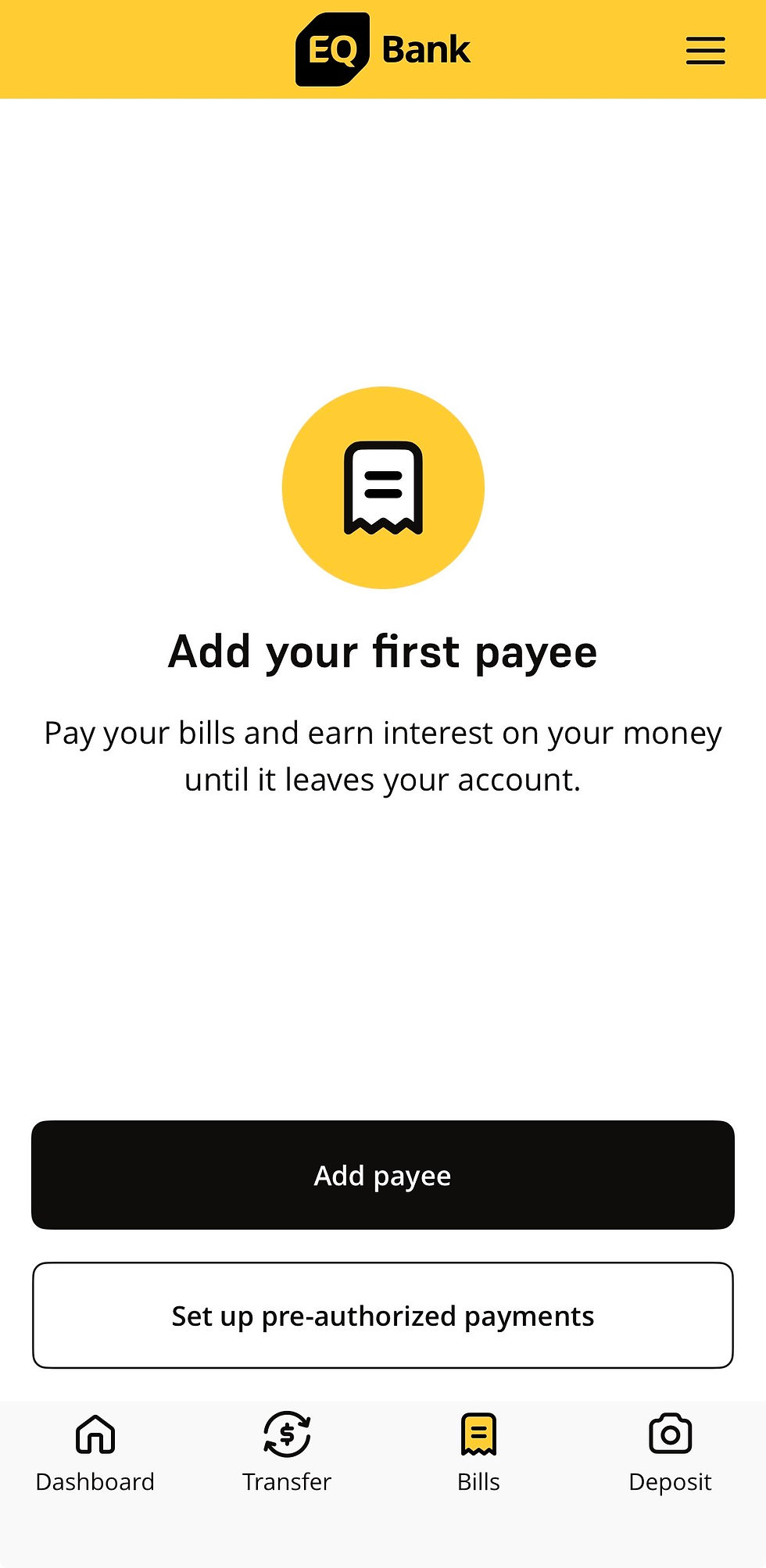
This is important because many business expenses can be handled directly through bill payments rather than needing a card.
How About Business Investing?
One thing I was excited to see was access to business GIC options.

I haven't explored this feature yet, so I can't comment much on it. But it was interesting to see investment options available directly from within the business banking experience. It's definitely something I'll be looking into after transfering my business funds!
A Temporary Downside
While I'm still getting used to having a legitimate business account, I realized that EQ Bank's business account doesn't currently come with its own debit or prepaid card.
At least not yet. :)
The EQ representative I chatted with told me that a business card is currently in beta and should become available soon. This was actually great news for me because a few platforms I rely on, such as Wix and Google Workspace, require card payments rather than bill payments.
So for now, I still need to keep TD around for those few services. But once EQ releases its business card, however, I could see myself simplifying things significantly.
Why This Matters for Sole Proprietors
I think a lot of content around business banking focuses on incorporated and often much larger companies. But there are thousands of sole proprietors who simply need a clean separation between business and personal finances.
Dog trainers (me! :D)
Photographers
Designers
Consultants
Creators
Freelancers
And countless others.
For many of us, a dedicated business account isn't about looking professional. It's about making bookkeeping easier. And if you're a little nerdy like me... fun. 🤓
When tax season comes around, having business transactions separated from personal ones can save a lot of headaches.
What I'm Curious About Moving Forward
The things I'm most interested in testing over the next few months are:
• How well the account handles day-to-day business transactions
• Whether it integrates with the budgeting tools I use, like Monarch
• How easy it is to track business cash flow
• Whether it can realistically replace my existing setup
I'll likely write a follow-up post once I've had some time to fund and use the account. For now, I mostly wanted to document the onboarding experience and share an inside look at the app for business users because I couldn't find many examples online from the perspective of a sole proprietor.
If you also own a small business and have been looking for a simple business banking option, hopefully these screenshots and observations give you a better idea of what the experience looks like after getting approved. You can use any of the links I shared in this blog as you'd like. Some are affiliated and will go a small but long way to help support the blog! :) Oh, and speaking of links, I love bringing people together who enjoy similar topics as I, including services and products. I recently created a Facebook group for EQ Bank users to come together and share. Click here to check it out!


Comments